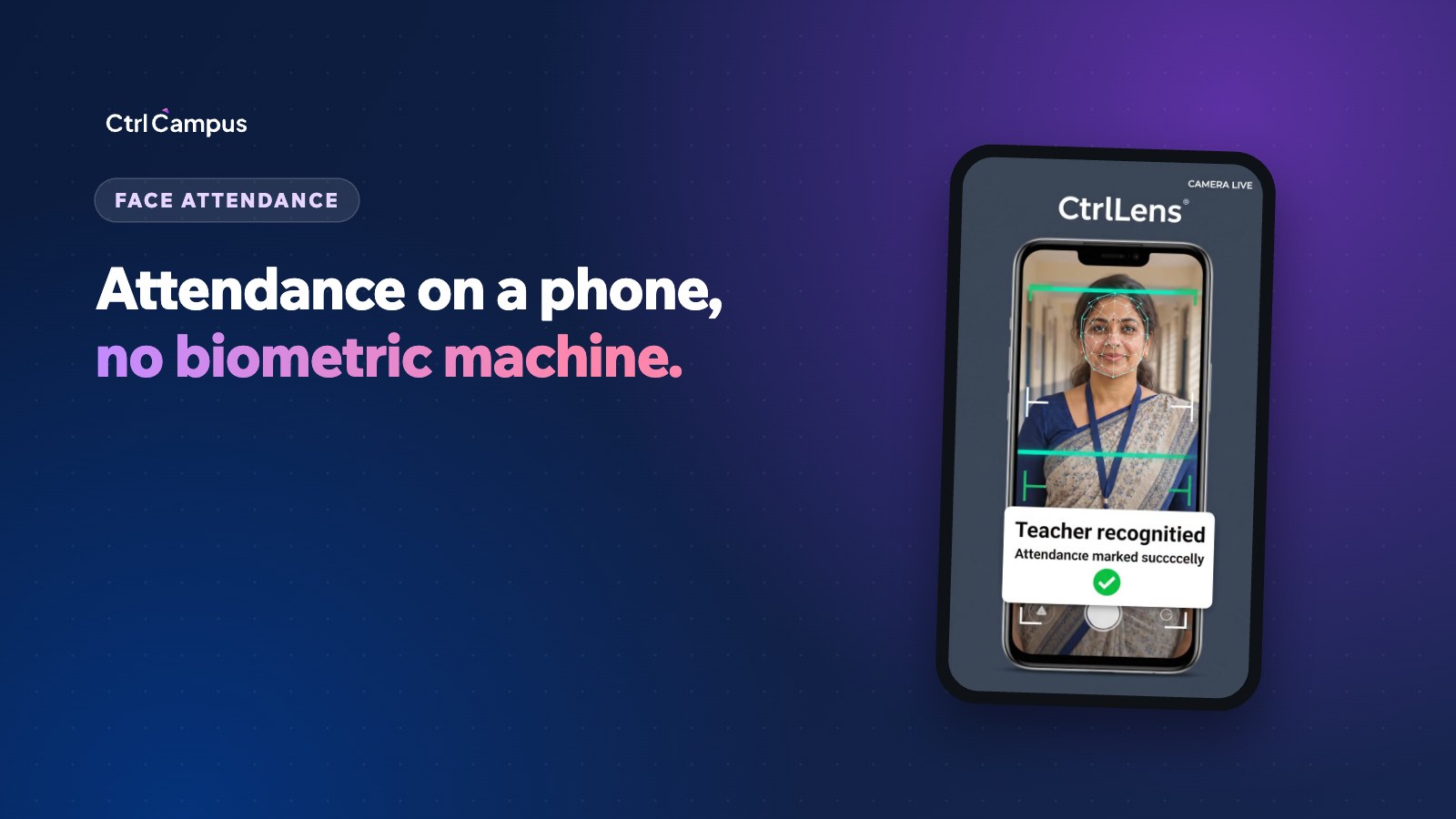
Attendance is the one task every school does every day, twice: once for students in each class, and once for staff at the gate. Most schools still use paper registers for children and a fingerprint machine for staff. Face recognition attendance offers another way: a staff member or teacher opens an app on a phone, the face is matched, and the record updates by itself.
This guide compares face recognition with biometric machines and registers, explains how phone-based face check-in works, and covers the privacy questions every school should ask.
The problem with registers and fingerprint machines
Paper registers
A class teacher spends several minutes each morning on the roll call. The register then has to be totalled, entered into the ERP, often by someone else, and checked before absence messages go to parents. By the time a parent learns their child was absent, it may be the afternoon or the next day.
Fingerprint machines
Biometric devices at the staff gate solve the problem of staff marking in for each other, but they bring their own:
- Hardware to buy, install and service at each gate or branch.
- Queues at peak times, and failed reads for worn or wet fingers.
- A shared contact surface that many staff dislike.
- Data that has to be exported from the device and imported into payroll.
- No check that the person is actually on campus for staff who work across buildings or branches.
How face recognition attendance works on a phone
Phone-based face recognition replaces the device at the gate with an app:
- Enrolment. Each staff member or student is enrolled once.
- Check-in. The staff member opens the app and looks at the phone camera. For students, the teacher marks the class from their own phone.
- Matching. The face is matched against the enrolled profile.
- Location check. For staff, the app confirms that the phone is on campus.
- Update. Attendance is recorded, and connected systems such as payroll and parent alerts update automatically.
There is nothing mounted on the wall, no queue at a single device, and no export step at the end of the month.
Face recognition attendance vs biometric machines
- Hardware: fingerprint needs a device at each gate, while face recognition uses phones already in staff hands.
- Contact: fingerprint needs a shared scanner, while face check-in is contactless.
- Location: fingerprint proves presence at the device, while face recognition with a location check proves the person is on campus.
- Queues: a single device creates a queue at the start of the day, while phone check-in happens in parallel.
- Data flow: device logs often need exporting, while app-based attendance updates payroll and parent alerts directly.
- Maintenance: devices need servicing and replacement, while apps are updated by the vendor.
Student attendance with face recognition
For students, the gain is speed and what happens next. A teacher marks the class in seconds from a phone, the ERP record updates immediately, and parents of absent children can get a WhatsApp alert the same morning. That alert is one of the most valued messages a school can send, because it closes the gap between a child leaving home and reaching class.
It also gives the school accurate data for later: attendance percentages for report cards, board requirements and early warnings when a child's attendance starts to slip.
Staff attendance and payroll
For staff, the gain is accuracy in pay. When attendance from face check-in feeds payroll directly, leave, late arrivals and loss of pay are calculated from the same data, with no spreadsheet in between. See our guide to school payroll with PF, ESI and PT for how that fits together.
Privacy and consent: what schools should ask
Face data is personal data, and children's data needs particular care. Before choosing any system, ask the vendor:
- Where is face data stored, and who can access it?
- Is face data used only for attendance, and never for any other purpose?
- How is data deleted when a student or staff member leaves, or if the school leaves the vendor?
- What security certifications does the vendor hold?
- How will the school inform parents and staff, and record their consent where required?
India's Digital Personal Data Protection Act and Rules set out how schools must handle personal data, including children's data. Our DPDP Act guide for schools explains the timeline and what to prepare.
Rolling out face attendance in a month
- Start with staff, where the payroll benefit is immediate.
- Enrol everyone in one session per branch.
- Run both systems side by side for two weeks and compare the records.
- Switch off the old system once the records match.
- Extend to students class by class, starting with the classes whose teachers are most comfortable with the app.
Explain the change to staff before enrolment: why the school is moving, what data is stored and how it is protected. Most resistance comes from not knowing, not from the technology.
How CtrlLens works
CtrlLens is CtrlCampus's in-house face recognition attendance. Staff look at their phone, CtrlLens confirms the face and that they are on campus, and attendance and payroll update on their own, with no fingerprint machine at the gate. Teachers mark a class in seconds from their phone, and parents of absent children get a WhatsApp alert.
Student attendance updates the ERP record, and staff attendance feeds HRMS and payroll. CtrlCampus is ISO 27001 certified, and if a school leaves, its data is deleted and the deletion confirmed in writing.
Oaktree Kidz moved attendance, admissions, fees and parent communication onto CtrlCampus and reported an 80% reduction in operational cost. For the wider picture, read School ERP vs 7 separate apps.
FAQ: face recognition attendance
Is face recognition attendance accurate?
Modern face matching is reliable in normal lighting when each person is enrolled properly. Running it alongside your old system for a couple of weeks lets you confirm accuracy before switching over.
Do we need special cameras or devices?
Not with CtrlLens. It runs on a smartphone, so there is no biometric machine to buy or install.
Can staff mark attendance from home?
With a location check, a check-in only counts when the phone is on campus, which prevents attendance being marked from elsewhere.
What if someone's appearance changes?
Glasses, beards and new haircuts are usually handled well. For any case the app can't resolve, keep a logged manual override for the administrator.
Does face attendance work for young children?
The teacher marks the class from their own phone, so young children never need to handle a device. Book a demo to see CtrlLens in action.