Every principal knows the pattern: the week after a fee due date is busy, and then a long tail of unpaid accounts drags on for months. Good fee management software for schools doesn't make parents richer, but it removes most of the reasons fees are paid late: forgotten dates, awkward payment methods, unclear amounts and slow follow-up.
This guide sets out nine practical steps that reduce fee defaults, and what to look for in software that supports them.
Why school fees are paid late
Before changing anything, look at why parents pay late. In most schools it is a mix of:
- Forgetting. The due date was in a circular three months ago.
- Friction. Paying means a visit to the school office during working hours, or a bank challan.
- Confusion. The parent isn't sure what the amount covers, or whether last term's concession was applied.
- Cash flow. A large annual or term fee lands in the same month as other expenses.
- No follow-up. Nobody calls until the dues are several months old.
Only the last two need a conversation. The first three are process problems that software solves.
9 steps to reduce school fee defaults
1. Publish a clear fee schedule at admission
Give every parent a fee schedule with each component, each due date and the late-fee policy, in writing, at the start of the year. Put it in the parent app so it is always available.
2. Offer instalments
Splitting the annual fee into term or monthly instalments makes each payment smaller and more predictable. Many parents prefer monthly or quarterly payments that match their salary cycle. Your software should handle instalments and concessions per student, so the office isn't tracking them in a separate sheet.
3. Remind before the due date, not after
A reminder a week before the due date, and another on the day, works better than a notice after the fee is late. Send it where parents actually read it, which for most families is WhatsApp.
4. Make payment one tap
Let parents pay from the reminder itself or from the parent app, by UPI, card or net banking. Every extra step, such as a branch visit or a separate login, delays payment.
5. Send the receipt immediately
A receipt the moment payment lands reassures parents and stops the "did you get my payment?" calls. It also prevents duplicate payments.
6. Reconcile automatically
When each online payment updates the student's fee account by itself, the office always knows who has paid. Manual reconciliation from bank statements is where errors, and awkward phone calls to parents who have already paid, begin.
7. Watch a live defaulters list
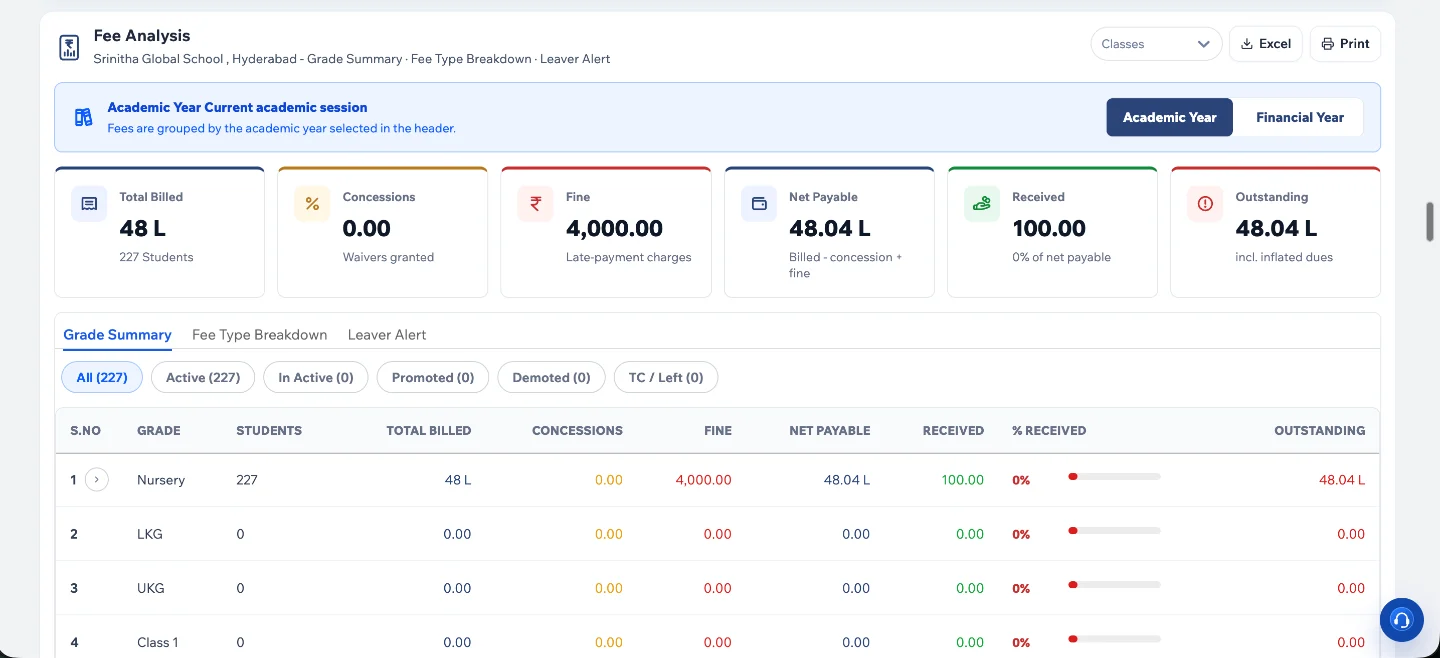
Management should see dues by class, branch and age of debt, updated live, instead of waiting for a month-end report. Sorting the list by how long each amount has been due helps the office focus on the accounts most likely to become bad debts.
8. Follow up in stages
A polite reminder, then a second reminder, then a call from the accounts office, then a meeting. Keep it consistent for every family, and record each contact against the student's account.
9. Talk to families in difficulty early
Some parents genuinely can't pay on time. A short conversation and a revised instalment plan usually recover more than repeated notices, and they keep the child in school.
A fee calendar that works
- Before the year starts. Publish fee schedules, instalment options and concessions in the parent app.
- Seven days before each instalment. A WhatsApp reminder with the amount and a payment link.
- On the due date. A short second reminder.
- Five days after. A personal call from the accounts office for accounts still unpaid.
- Month end. Management reviews the defaulters list by class and branch.
Schools that follow the same calendar every term find that parents learn the rhythm, and the office spends far less time chasing payments.
What to look for in fee management software for schools
- Fee structures by class, with components such as tuition, transport and activity fees.
- Instalments, concessions and scholarships set per student.
- Online payment through established gateways, confirmed automatically.
- Automatic receipts and ledger updates, with no manual reconciliation.
- Reminders on WhatsApp from the school's own verified number.
- Live dues reports by class and branch, with Excel export.
- Transport fees in the same account as tuition.
- A parent app where parents see their dues and pay for every child.
How fee collection works in CtrlCampus
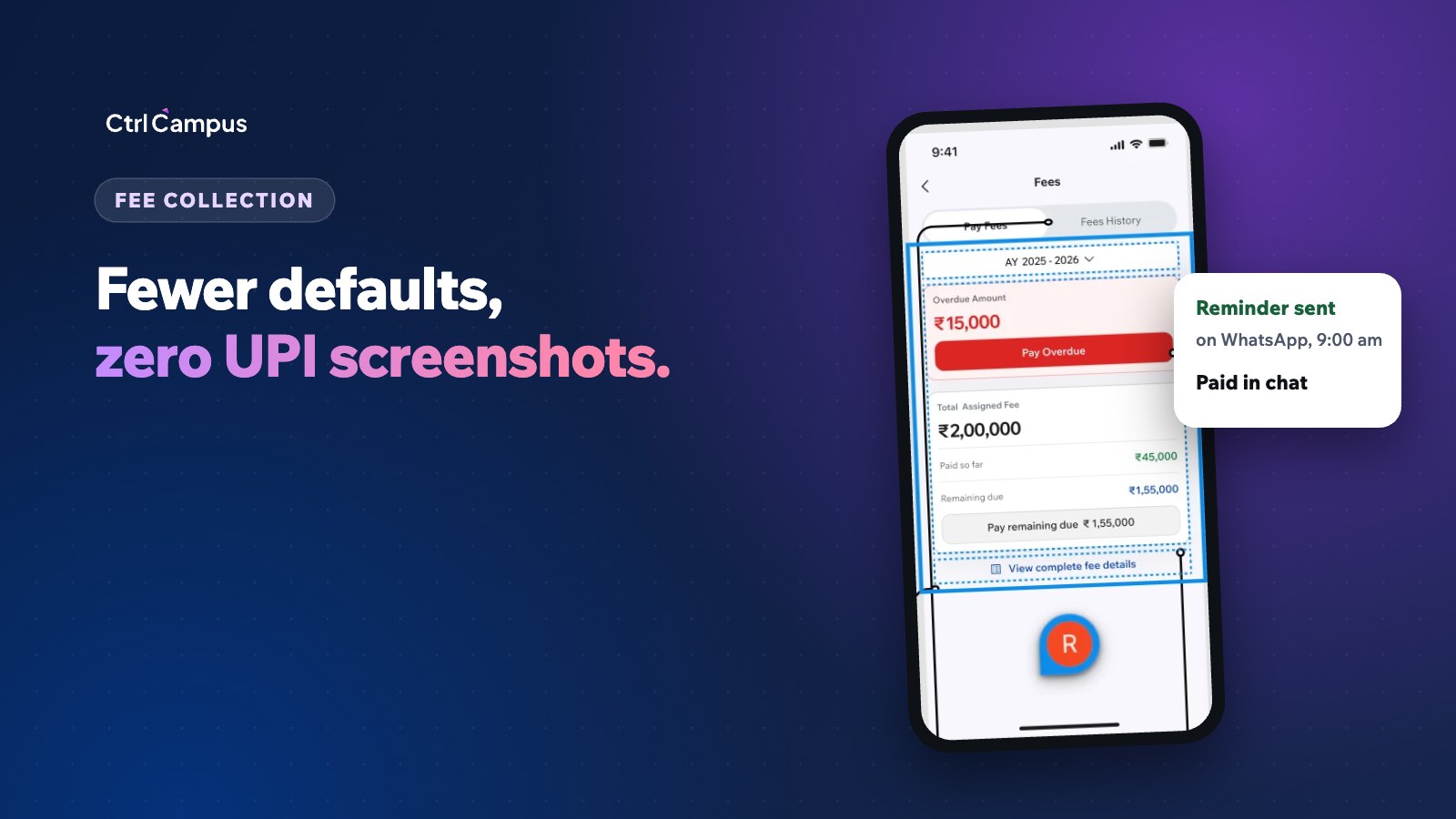
In the CtrlCampus ERP, parents pay from the CtrlGo app through payment gateways such as Cashfree and Easebuzz, by UPI, cards or net banking. Each payment is confirmed by webhook and updates the fee record and receipt straight away, so there is no manual reconciliation. Instalments and concessions are set per student.
Fee reminders and receipts go out from your school's verified number through official WhatsApp, and a fee link sent on WhatsApp lets parents pay in a couple of taps. Transport fees from CtrlBus sit in the same account, and every branch's dues appear on one dashboard.
Oaktree Kidz moved fees, admissions, attendance and parent communication onto CtrlCampus and reported an 80% reduction in operational cost. For a wider view of fee tools, read streamline collections with fee management software, and to budget for a new system see our school management software cost guide.
FAQ: fee management software for schools
Does online fee payment really reduce defaults?
It removes the friction of visiting the office, and combined with timely reminders it makes paying on time the easiest option. It doesn't solve genuine affordability problems, which need a conversation.
Which payment methods should schools accept?
UPI, debit and credit cards, and net banking cover most parents. Keep a cash or cheque counter for families who need it, but record those payments in the same system.
How many fee reminders should we send?
Usually one a week before the due date, one on the day, and a follow-up a few days later. More than that starts to feel like pressure.
Can parents with two children see both in one place?
In CtrlGo, parents see every child with one login, so they can check dues and pay for each child in the same app.
Should we charge late fees?
That is a policy decision for your management. Whatever you choose, publish the policy at admission so it is never a surprise. Book a demo to see your own fee structures in CtrlCampus.