If you are comparing quotes, the first question is simple: what is the real school management software cost for a school in India? The honest answer is that the number on the quote rarely matches what the school ends up paying. Most of the difference comes from add-ons, hardware, messaging and the separate apps that a basic ERP doesn't cover.
This guide explains how vendors price school software, where the hidden costs sit, and how to compare two quotes on equal terms. It is written for principals, correspondents, trustees and finance heads at K12 schools, pre-schools and colleges.
How school management software is priced in India
Almost every vendor uses one of four models. Knowing which one you are being offered tells you where the bill will grow.
1. Per student per year
You pay a fixed amount for each enrolled student, every academic year. This is the most common model for cloud software because the cost follows your strength: a school with 400 students pays less than one with 2,000.
Ask whether the rate covers every module or only the core ERP. Some per-student quotes cover fees and attendance but charge separately for transport, HR, payroll or the parent app.
2. Per module
The vendor lists modules such as admissions, fees, exams, transport, library and HR, and you pick what you need. It looks flexible, but the total climbs quickly once you add the modules every school ends up using. It also makes the next renewal harder to predict.
3. One-time licence plus AMC
Older, on-premise systems often charge a licence fee upfront and then an annual maintenance contract (AMC). You may also need a local server, backups and someone to look after them. Upgrades can be billed as new projects.
4. Flat subscription per campus
A fixed monthly or yearly fee per branch, regardless of strength. It can suit very large single campuses but is often expensive for small or growing schools.
The hidden costs that never appear on the quote
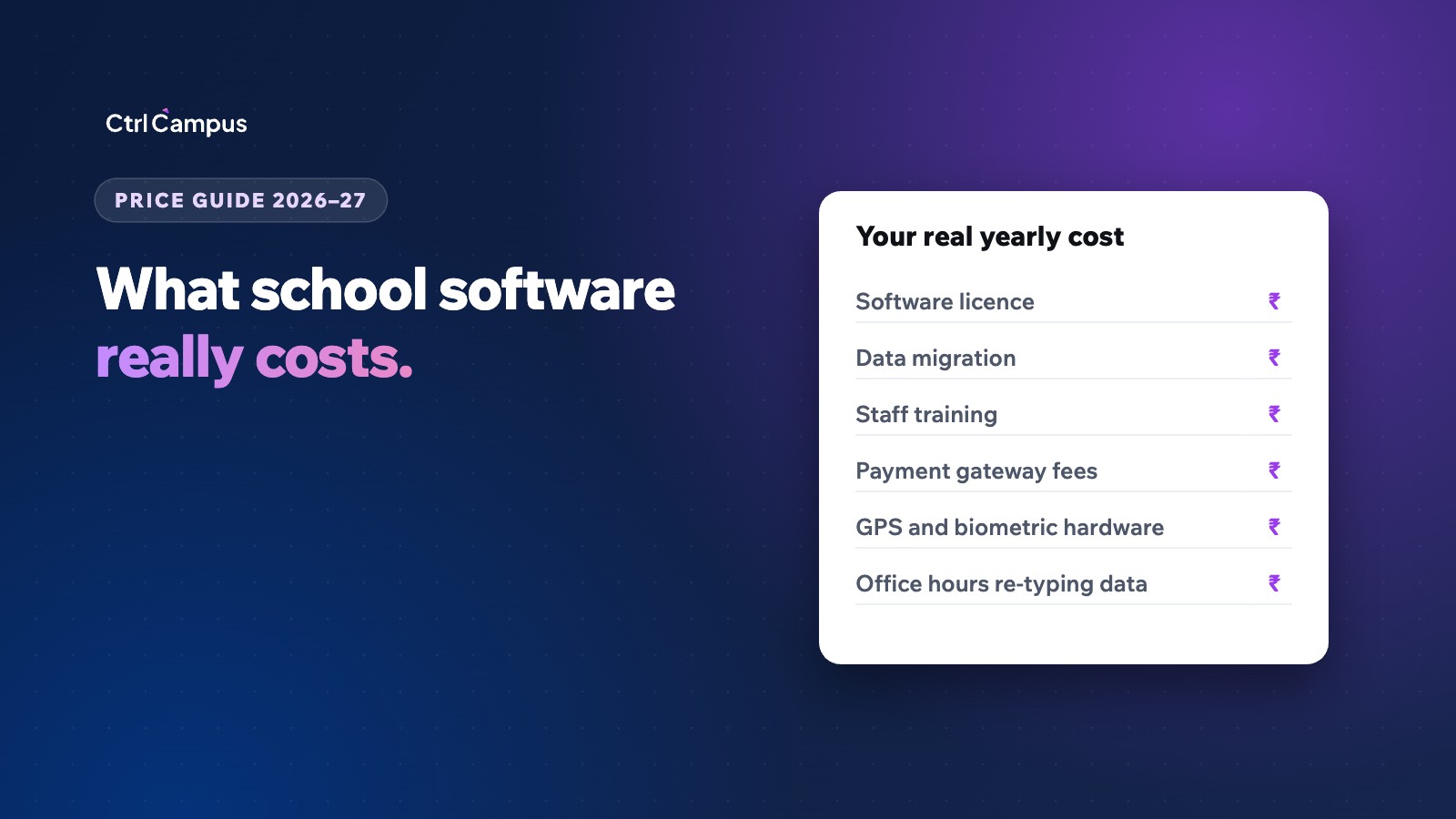
When schools tell us their software costs too much, the cause is usually not the ERP licence. It is everything around it. Before you compare quotes, list these line items for your current setup:
- SMS and WhatsApp messaging. Many vendors resell messages at a markup, or route WhatsApp through a third-party provider.
- Payment gateway charges. Online fee collection carries gateway fees. Check who pays them and whether reconciliation is automatic or manual.
- GPS devices for buses. Hardware, installation, SIM cards and a yearly subscription for each vehicle.
- Biometric machines. Fingerprint devices at the gate, plus servicing and replacement.
- A separate admissions CRM. Often bought because the ERP has no enquiry pipeline.
- A separate HR and payroll tool. Often a spreadsheet maintained by one person.
- Data migration and training. Some vendors charge extra for moving your existing student and fee records.
- Staff time. The hours spent typing the same student into four systems, and fixing the mismatches later.
The last item never appears on an invoice, yet it is often the biggest. We break it down in School ERP vs 7 separate apps.
How to compare school software quotes fairly
To compare two vendors, convert every quote into a single figure: the total yearly cost for your current strength, including everything you would have to buy separately. A simple worksheet works:
- Write down your student and staff strength for the coming year.
- List every function you need: admissions, fees, attendance, transport, exams and report cards, HR and payroll, parent app and WhatsApp.
- For each vendor, mark which functions are included in the quoted price and which need another tool.
- Add the cost of those other tools, plus any hardware such as GPS or biometric devices.
- Add messaging, migration and training charges.
- Compare the totals, not the headline rates.
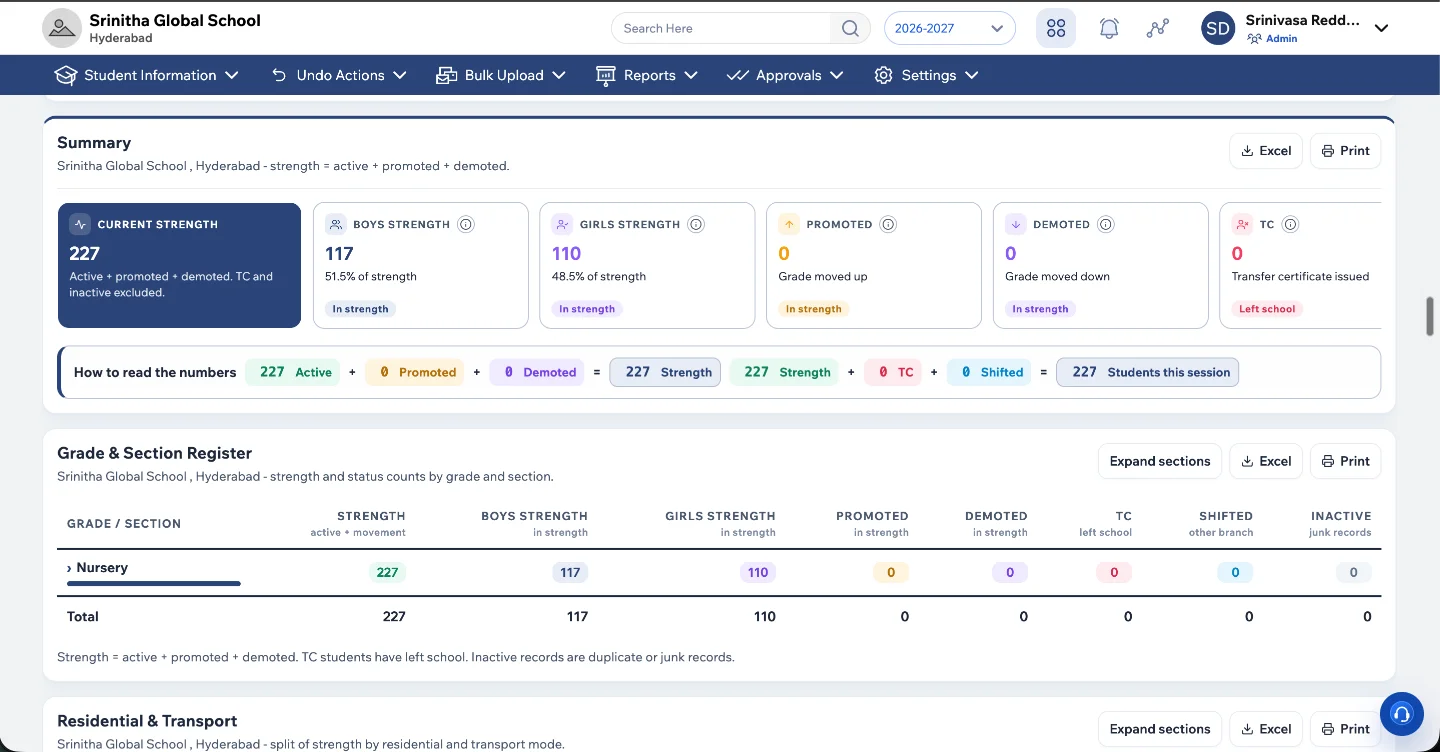
A live dashboard like the one above, showing strength for every branch, should be part of the base price. If a vendor charges extra for multi-branch reporting, add it to the worksheet.
Questions to ask every vendor before you sign
- Is the price per student, per module or per campus, and what exactly does it include?
- Are WhatsApp messages sent from our own verified number, and are they billed at Meta's rates or with a markup?
- Do we need GPS devices for bus tracking or biometric machines for attendance?
- Is there a charge for moving our existing data, and who does the work?
- How many branches can we manage from one login, and can each branch see only its own data?
- What happens to our data if we leave? Will you delete it and confirm in writing?
- What is the uptime commitment, and is it written into the agreement?
What CtrlCampus costs
CtrlCampus is priced per student per year, with everything included: the ERP, admissions CRM, fee collection, HR and payroll, the CtrlGo parent app, the CtrlOne staff app, bus tracking, face-recognition attendance and official WhatsApp. There are no GPS boxes or biometric machines to buy, because CtrlBus tracks buses from the driver's phone and CtrlLens takes attendance with face recognition on a phone.
Because one platform replaces several tools, the comparison usually comes down to your current total spend against one line item. Oaktree Kidz reported an 80% reduction in operational cost after moving admissions, fees, attendance and parent communication onto CtrlCampus.
We quote based on your strength and number of branches. Book a free demo and we will show you the product on your own fee structures and send a written quote.
The cheapest quote is not always the lowest cost
A low per-student rate can still cost more if you also pay for a CRM, a payroll tool, GPS devices and a messaging reseller. A higher rate that includes everything can be cheaper in total, and it saves your office from re-typing data. Compare the full picture, and ask every vendor to put their inclusions in writing.
If fee collection is your biggest concern, read our guide on reducing school fee defaults. If admissions are, see how an admission CRM for schools works.
FAQ: school management software cost in India
How much does school management software cost per student?
It varies widely by vendor and by what is included. Some quotes cover only the core ERP, while others include admissions, payroll, transport and the parent app. Compare the total yearly cost for your strength rather than the per-student rate alone.
Is cloud school software cheaper than on-premise?
Usually, over a few years. Cloud software avoids local servers, backups and upgrade projects, and the vendor handles security and uptime. On-premise systems carry a licence fee plus AMC and IT upkeep.
Do we need to buy hardware for attendance or bus tracking?
Not with every vendor. CtrlCampus uses face recognition on a phone for attendance and the driver's phone for bus tracking, so there are no biometric machines or GPS devices to buy.
Can we move our existing data?
Yes. At CtrlCampus, moving your existing student, fee and staff records is one of the five onboarding steps: kick-off, data migration, setup, training and go-live.
Is there a free demo?
You can book a free demo with no obligation. We show the product on your own fee structures and report cards before you decide.